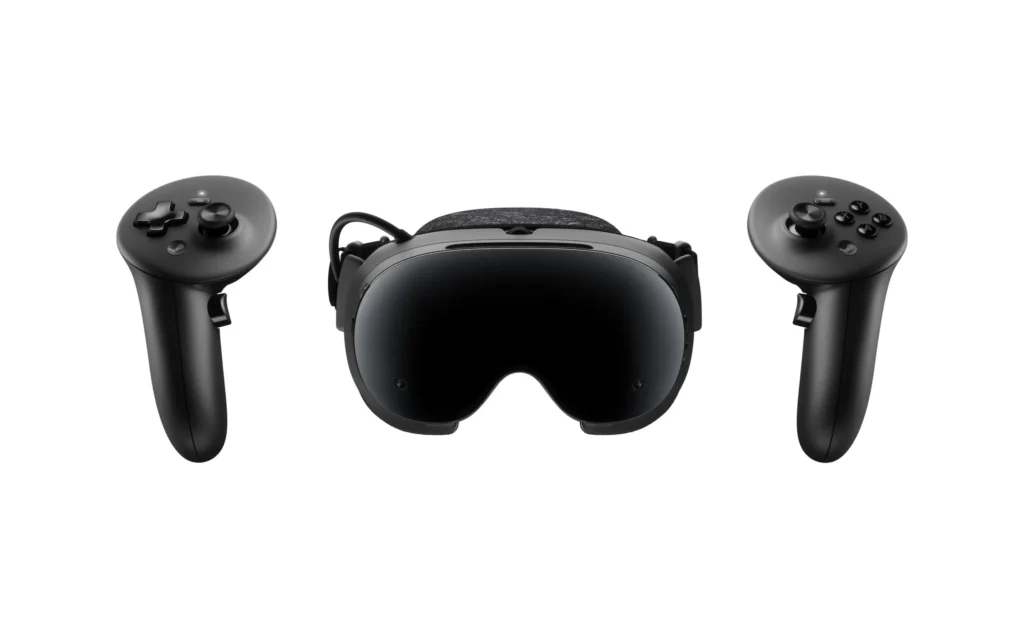
Valve has moved its SteamOS 0.4 update for Steam Frame out of beta and into the stable channel, promising better battery efficiency, more reliable wireless streaming, and a long list of fixes for the headset’s young software stack. The headline number is up to 12% longer battery life during both local play and PC streaming—but Valve also says the result depends on frame rate and content.
The stable release arrived on October 8, 2026, after the power-saving work first appeared in the SteamOS 0.4.3 beta on October 1. That matters because owners no longer need to accept beta-channel risk to get the efficiency improvement. The update should be available through Steam Frame’s normal system-update controls.
What SteamOS 0.4 changes
According to Valve’s official release notes, the update improves power efficiency in two very different workloads: games rendered directly on Steam Frame and VR games streamed from a PC. Valve does not publish a fixed new runtime, and the phrase “up to 12%” should not be read as a guarantee for every title.
The release also addresses several everyday annoyances:
- Improved color clarity during VR streaming by fixing a chroma regression.
- Better streaming reliability, including work on “Error 17” connection failures.
- Fixes for wireless-adapter connectivity problems affecting some countries.
- More reliable streaming audio and fewer conflicts from other network interfaces.
- Controller-binding fixes for games including Google Earth VR and Thumper.
- A smoother spectator view by default, plus an option to disable smoothing.
- New dominant-eye accessibility controls and a single-eye tracking option.
- A new presence-sensor sensitivity setting that can help when using glasses spacers.
There is one important qualification for the Error 17 fix: Valve says the connected PC also needs SteamVR 2.18.2 or later. At the time of the stable SteamOS release, that SteamVR version was still on the beta branch. In other words, updating the headset alone may not eliminate every connection problem.
How much extra play time could 12% mean?
The practical gain depends on what the headset was doing before the update. A one-hour session extended by the full 12% would last about 67 minutes. A two-hour streaming session would gain roughly 14 minutes. Those examples are simple calculations, not measured post-update results.
Independent testing before the update illustrates why a single battery-life number can be misleading. Next Reality’s report cites testing in which standalone Half-Life: Alyx lasted about an hour at 72 Hz, while streaming the same game from a PC ran for more than twice as long. Local play asks Steam Frame’s Snapdragon processor to render the game; streaming moves most of that work to the PC while the headset handles displays, tracking, networking, and video decoding.
Valve has not supplied a standardized before-and-after test, so owners should expect variation. Refresh rate, screen brightness, power mode, the game being played, wireless conditions, and battery health can all affect the final result. A demanding standalone title may gain only a few minutes even if the percentage improvement is real.
What owners should check after installing
Open Settings > System on Steam Frame and confirm that the stable SteamOS 0.4 release is installed. For a meaningful comparison, use the same title, refresh rate, brightness, audio level, and power preset before and after updating. Standalone and streamed sessions should be measured separately.
It is also worth checking the new presence-sensor option if the displays switch off unexpectedly when the headset is worn with glasses spacers. Valve says the new high-sensitivity setting keeps the screens active across a wider range of conditions.
PC streamers who still encounter Error 17 should verify the SteamVR version on the host computer. Opting into a SteamVR beta can introduce its own bugs, so users who do not need the fix may prefer to wait until version 2.18.2 reaches the regular branch.
Price and availability have not changed
The software update does not alter Steam Frame’s hardware or launch pricing. The headset debuted in September at $1,059 for 256GB and $1,299 for 1TB, with controllers and Valve’s dedicated wireless adapter included. A compatible 45W power supply is sold separately for $29, according to VR.org’s launch and availability guide.
Initial reservations have closed, and new buyers may face a waitlist depending on region and supply. Valve has not published a firm schedule for clearing that queue. That makes the update most immediately useful to people who already own the headset, rather than shoppers expecting wider retail availability.
Why this update matters
Steam Frame’s appeal is its ability to bridge standalone VR and a full PC Steam library through wireless streaming. Battery life and connection reliability directly affect both sides of that pitch. A modest efficiency gain will not transform a short standalone session into an all-day experience, but it can reduce how often owners reach for a charger—and the accompanying streaming fixes may be more noticeable than the extra minutes.
The strongest conclusion is also the simplest: SteamOS 0.4 is a worthwhile stable update for existing owners, but the 12% figure is a best-case manufacturer claim, not an independently verified guarantee. Real-world improvement should be judged title by title, with the same settings and connection method.
Featured image: Valve promotional imagery, via All.gg.