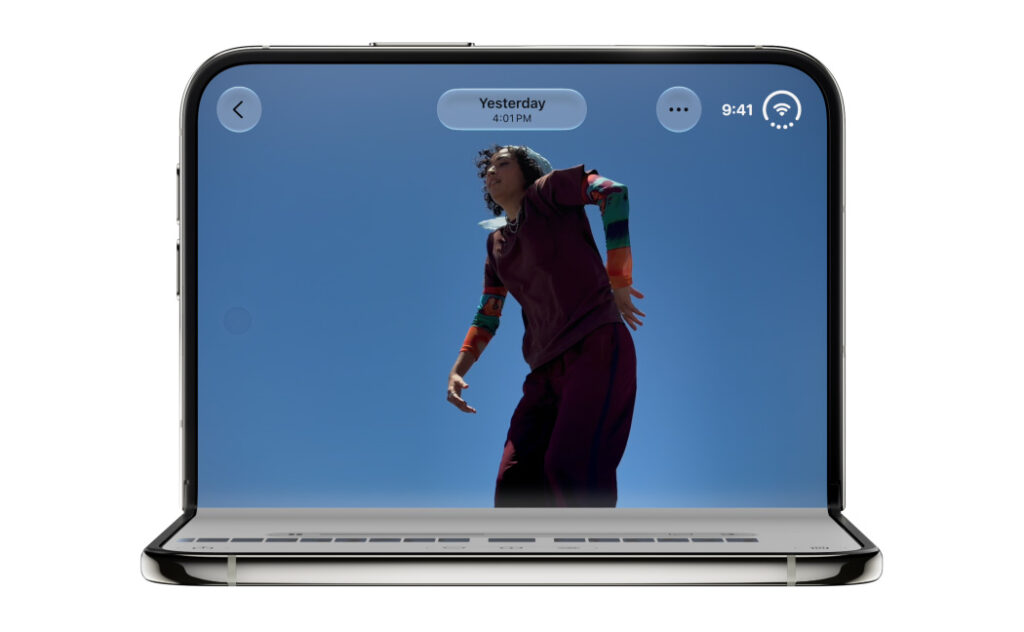
Apple has released iOS 27.2, turning the iPhone Duo into the first iPhone that works with an Apple Pencil. The update arrived October 26, 2026, and also expands Siri AI to five additional languages, adds contextual actions in Messages, introduces SynthID support for AI-edited images, and delivers a broad collection of security fixes.
The headline feature has a narrow compatibility list: iPhone Duo owners need the $79 Apple Pencil (USB-C). Apple Pencil Pro and older Pencil generations are not listed as compatible, and Apple says hover does not work on the Duo. Those limits matter for anyone expecting the full iPad drawing experience on Apple’s $1,999 foldable.
Apple Pencil support arrives after the iPhone Duo launch
The iPhone Duo reached stores on October 23 without active Pencil support, even though Apple had promised the feature for a later software update. iOS 27.2 fulfills that promise only three days after the phone’s retail launch.
Apple’s updated technical specifications and user guide now identify the Apple Pencil (USB-C) as the compatible stylus. It can be used to write, sketch and mark up documents on the Duo’s 7.6-inch inner display. The smaller 5.4-inch outer display remains available for normal touch interaction, but Apple’s documentation focuses Pencil use on the larger canvas.
This is a meaningful addition for note-taking, document review and illustration. It also gives the Duo a productivity feature commonly associated with book-style Android foldables and small tablets. Still, software support alone does not make the Duo an iPad replacement.
Only the USB-C Apple Pencil works
The compatibility rule is easy to miss. Apple lists the current Apple Pencil (USB-C), priced at $79 in the United States. It pairs and charges with a USB-C cable and supports tilt sensitivity and low-latency input.
Apple Pencil Pro is not supported. That means Duo users do not get the Pro model’s squeeze gesture, barrel-roll sensor, haptic feedback, double-tap tool switching or Find My support. First- and second-generation Apple Pencil models are also absent from Apple’s compatibility list.
Apple explicitly says hover is unavailable on iPhone Duo. Hover normally lets compatible iPads preview where the Pencil tip will land before it touches the screen. The USB-C Pencil can support hover on selected iPads, but the Duo’s display hardware does not expose that feature.
The Pencil can attach magnetically to some iPads for storage, but Apple does not advertise a magnetic charging or storage area on the Duo. Owners should plan to carry the full-size 6.1-inch stylus separately and use a USB-C cable when it needs to pair or charge.
Siri AI gains memory, more context and new languages
iOS 27.2 is larger than a stylus-enablement update. Apple says Siri AI can now recall information from earlier Siri conversations. A user could ask about a restaurant Siri recommended the previous week without repeating the original question.
The assistant can also draw from more personal sources, including photos attached in Messages, Calendar attendees, voicemail, Safari history and Reading List. Apple added an Excluded Apps control so users can decide which apps Siri, Search and suggestions may access. These are manufacturer-described capabilities; Gadget N Widget has not independently tested their accuracy or privacy behavior.
Siri AI is also expanding beyond English to French, Japanese, Korean, Portuguese and Spanish. Apple still labels it beta and says some capabilities may vary by language or region. The company also says Siri AI remains unavailable in the European Union on iOS, iPadOS and watchOS while it works through regulatory requirements.
Hardware support is limited. Apple’s release notes list all iPhone 16 models and later, plus the iPhone 15 Pro and iPhone 15 Pro Max. Older phones can install iOS 27.2 if otherwise eligible, but they do not receive the full Siri AI feature set.
Messages suggestions can create actions from conversations
Suggestions in Messages are designed to spot useful context in a conversation and offer shortcuts into other apps. If a message includes a plan or commitment, the system may suggest creating a Calendar event or Reminders item.
This could reduce copying and pasting between apps, but it also depends on Apple’s on-device and private-cloud systems understanding the conversation correctly. Users should check dates, times, people and locations before accepting any generated action. The feature should be treated as a draft assistant, not an authoritative scheduler.
SynthID arrives for Apple Intelligence images
Apple is adding support for Google’s SynthID watermarking system in Photos and Image Playground. According to Apple’s documentation, most images created or edited with Apple Intelligence tools in iOS 27.2 include a hidden watermark that can help identify generative involvement.
The wording matters: “most” is not “all,” and a watermark is not proof that every unmarked image is authentic. Cropping, re-encoding, screenshots and unsupported tools may affect how provenance signals travel. Apple’s SynthID Detector is useful as one signal, but it should not be the only method used to judge an image.
The security fixes are a reason to update even without a Duo
Apple’s security advisory covers iPhone 11 and later and describes fixes across system components including Mail, Maps, Shortcuts, Spotlight and SpringBoard. The listed impacts include memory corruption, denial of service, access to sensitive data, privacy leaks and elevation of privileges.
Apple does not say that every listed issue was being actively exploited. The practical advice is still straightforward: compatible iPhone owners should install the update after making a current backup, particularly because many fixes apply far beyond the new Duo features.
To update, open Settings > General > Software Update. Keep the phone connected to power or adequately charged, use a reliable network, and allow time for the device to restart. Business-managed phones may receive the update on an administrator-controlled timetable.
Other changes spread across Apple’s apps
iOS 27.2 also reorganizes the Podcasts home experience into separate New Episodes and Continue Playing sections. The Apple TV app gains user profiles, while FaceTime group calls add dual-camera capture so the front and rear views can be shared together. Apple Music receives updated visual branding.
Apple simultaneously released iPadOS 27.2, macOS 27.2, watchOS 27.2, visionOS 27.2, tvOS 27.2 and HomePod software 27.2. Features vary by device, region and hardware generation, so an item listed for one platform should not be assumed to exist on every other Apple product.
Who should install iOS 27.2 now?
For iPhone Duo owners, the update is essential if Apple Pencil support influenced the purchase. The $79 USB-C model is the only Pencil to consider, and buyers should accept the absence of hover and Pencil Pro features before ordering.
For users of other compatible iPhones, the security fixes are the main reason to install. Owners of newer Apple Intelligence-capable models also gain the Siri and Messages improvements. People with older supported devices should expect fixes and app refinements rather than the full AI package.
As with any major point release, cautious users may wait briefly for early stability reports, especially on a work-critical phone. But postponing indefinitely leaves the device without the newly published security patches.
The practical takeaway
iOS 27.2 closes one of the iPhone Duo’s launch-day gaps and makes its large inner screen more useful for handwriting and markup. The implementation is deliberately basic: one $79 Pencil, cable-based charging, no hover and none of the Pencil Pro’s advanced controls.
The wider update may matter to more people than the Duo feature. Expanded Siri AI languages, contextual Messages suggestions, hidden SynthID markers and substantial security work make iOS 27.2 a consequential release—even for users who never plan to put a stylus near their phone.