AI assistants are increasingly expected to do more than answer questions. They can plan a trip, place an order, update a calendar or work across business tools—but many of those jobs stop at a login screen. On October 22, 2026, 1Password announced 1Password for Agents, a system designed to let supported AI agents sign in after a person approves the request, without revealing the password or one-time code to the agent itself.
The idea is simple: an AI agent asks for access to a specific account, the user reviews that request on their own device, and 1Password fills the credential directly into the sign-in form. The company says the agent can then continue its assigned task without receiving the secret stored in the user’s vault.
How 1Password for Agents works
When a supported agent reaches a login page, it identifies itself to 1Password with a unique digital key. The person receives a request that explains which credential the agent needs and why. They can approve or deny that request. If approval is granted, 1Password autofills the password or one-time code rather than sending it to the AI model.
This is an important distinction. Copying a password into an agent’s chat, browser session or memory gives the software a secret it may retain or expose. In 1Password’s model, the agent receives a successful authenticated session, but not the underlying credential. Other items in the vault remain encrypted and unavailable to the agent, according to the company.
The process is deliberately interactive. An agent does not get standing permission to browse the whole vault, and it cannot approve its own sign-in request. That adds friction, but it also gives the account owner a clear control point before a bot enters a private service.
Which AI agents are supported?
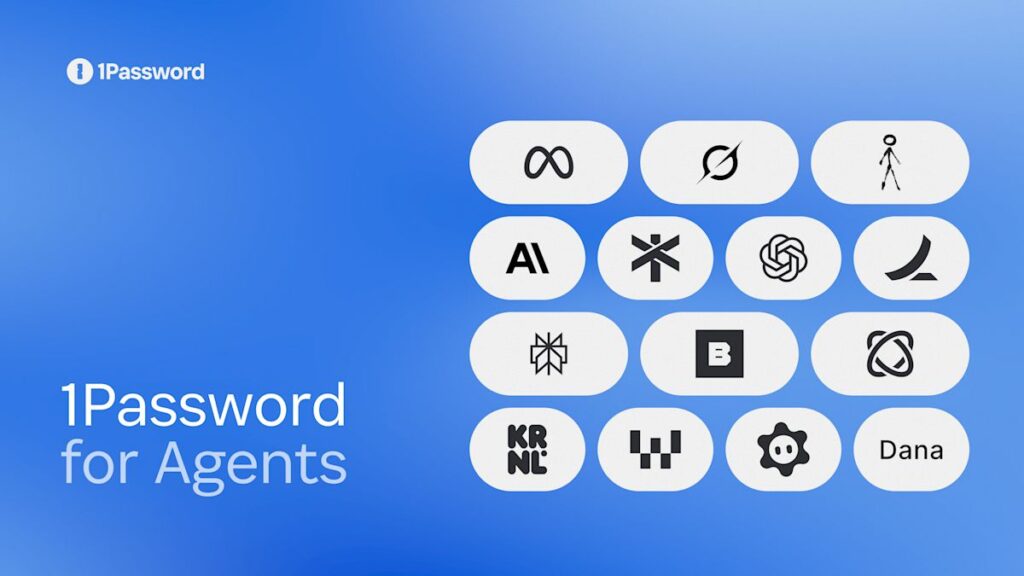
1Password says integrations for Meta’s Muse and SpaceXSI’s Grok Bot are rolling out across platforms over the coming days. Support for Anthropic’s Claude Duet, OpenAI’s ChatGPT Work and dots, and Town’s Townie is described as coming soon. The company also lists Browserbase, Browser Use, Dana, Instinct, KERNEL, Perplexity, Ramp, Tomo and Wajo as partners working on future connections.
That availability language matters. This is a platform launch, not a promise that every 1Password customer can connect every named agent immediately. The 1Password for Agents product page directs interested users to a waitlist and says availability can vary by integration, region, device and sign-in method.
For pricing, 1Password says the personal-agent integrations are included with Individual and Families plans. It has not announced a separate add-on price. The company also offers a 14-day trial, but the launch information does not establish a universal release date for all integrations.
Why this is safer than handing an agent a password
An agent that knows a password could potentially reuse it later, expose it in logs or surrender it if its environment is compromised. Keeping the credential inside the password manager reduces that particular risk. The user also sees a purpose-specific request before the login happens, which is more transparent than giving an assistant a long-lived account session and hoping it stays within bounds.
1Password is effectively separating authentication from authorization. The password manager handles the credential, while the person decides whether the agent should be allowed into that account for the task at hand. It resembles the approval step used by two-factor authentication, although the result is a login carried out on behalf of an agent.
What the system does not solve
Keeping a password hidden does not make every action after login safe. Once signed in, an agent may still be able to read private information, change settings, send messages or make purchases within the permissions of that account. A user still needs to understand what the agent plans to do and what the service allows it to access.
The approach also depends on integrations working as intended. Some websites actively restrict automated agents, while anti-bot and fraud systems may block them even when the user has approved the task. The Verge’s launch report confirms the approval-based flow but notes that several partner integrations are still in development.
There are practical questions that will become clearer after wider use: how long an authenticated session remains valid, how easily users can revoke it, how agents explain a multi-step task, and what happens when a task changes after approval. The launch material focuses on protecting credentials, not on guaranteeing the safety or accuracy of every action an agent performs.
Who should pay attention
The first audience is people already experimenting with personal AI agents for shopping, travel, scheduling or administrative work. For them, 1Password for Agents offers a cleaner alternative to pasting passwords into a chat or taking over the browser manually at every login screen.
Families may also find the approval model useful when an agent needs limited access to a shared service. Businesses should be more cautious. The initial rollout targets Individual and Families accounts, and companies will still need policies for which agents employees may use, which work accounts they may connect, and what records should be kept when automated software acts on their behalf.
The practical takeaway
1Password for Agents addresses one of the least comfortable parts of AI automation: letting software enter a private account. Its strongest feature is that the agent can request a login without receiving the password stored in the vault. The user remains the decision-maker at the moment access is granted.
That does not remove the need for judgment. People should approve only requests they understand, review the account and task shown in the prompt, and use each service’s session and device controls to revoke access when necessary. The new system reduces credential exposure, but it does not turn an AI agent into a fully trusted operator.
Sources
- 1Password: Introducing 1Password for Agents — October 22, 2026
- 1Password for Agents product page
- The Verge: 1Password lets AI agents use your passwords without seeing them — October 22, 2026