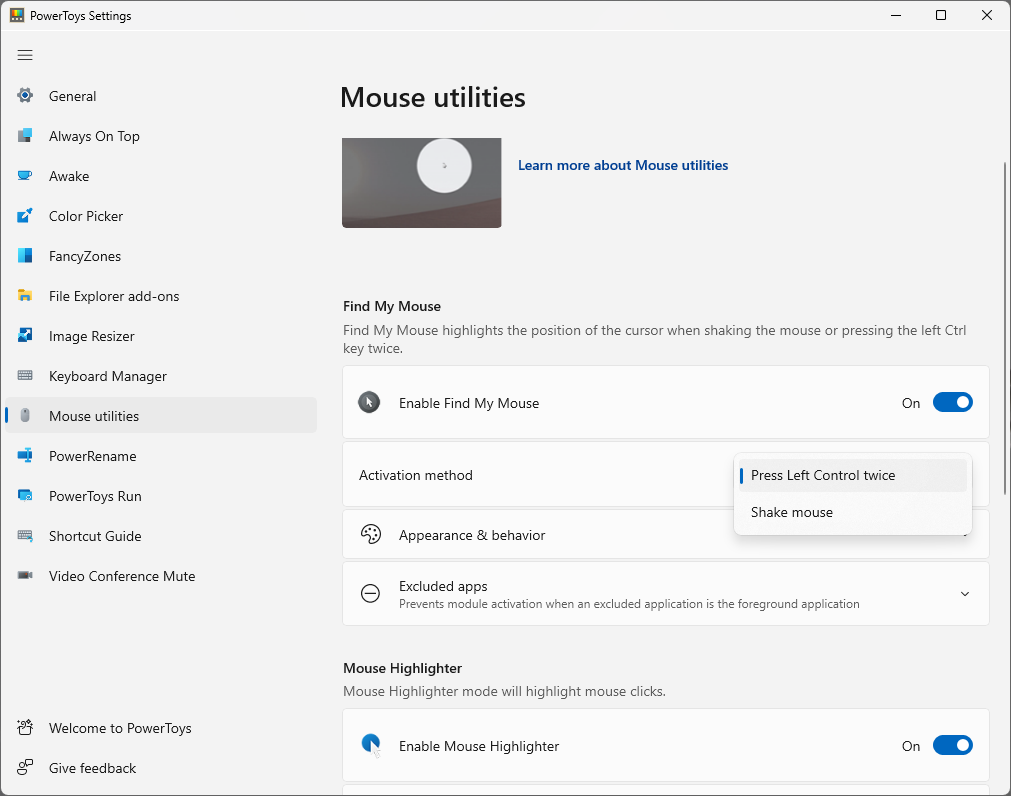
Microsoft has released PowerToys 0.102, a substantial update to its free collection of Windows utilities. The October 21 release adds Mouse Button Lock and CursorHide, expands Command Palette, brings voice dictation to ZoomIt snips, and makes more PowerToys features controllable from the command line.
PowerToys remains aimed at people who want deeper Windows customization without replacing the operating system. Version 0.102 is available through PowerToys’ built-in updater, the Microsoft Store, GitHub and supported package managers.
Mouse Button Lock reduces long-click strain
Mouse Button Lock is designed for jobs that require holding a mouse button for an extended time. After a user presses and holds a button briefly, Windows continues treating it as held even after the finger is released. Clicking a mouse button again ends the lock.
That can make lengthy drag-and-drop actions, large selections and some games easier to manage. Microsoft also positions it as an accessibility improvement for people who find sustained button pressure difficult. As with any input-remapping tool, users should test it in their normal applications before relying on it during important work.
The second new mouse utility is CursorHide. It can hide the pointer while the user types, after a chosen period of inactivity, or in both situations. Moving the mouse makes the cursor visible again. The idea is simple, but it addresses a familiar irritation when the pointer blocks text, subtitles or a presentation.
Command Palette gets faster access to favorite actions
PowerToys Command Palette now offers an optional quick-access shelf in compact mode. Pinned commands appear under the search box and can be launched with Alt+1 through Alt+9. Alt+Shift plus a number selects an item without immediately running it.
The shelf supports drag-and-drop reordering, context menus and optional recent-command or recent-app sections. Fuzzy search can now find settings, extensions, commands, aliases and keyboard shortcuts, then send the user directly to the matching setting.
Other Command Palette changes include keyboard navigation for its dock, multiple clocks with independent time zones, language selection and links that can open a page or run a command. On supported keyboards, users can also choose Command Palette as the app launched by the Copilot key.
ZoomIt can pair a screenshot with spoken notes
ZoomIt’s new “Snip with dictation” option records a short spoken description while the user captures part of the screen. Holding Space during the snip starts dictation, and PowerToys processes the speech on the device. Pasting can then insert both the screenshot and the transcribed text.
This could be useful for bug reports, training material, design feedback and quick documentation. Microsoft says ZoomIt 0.102 also improves zoom transitions and recording audio pacing, while fixing silent recordings on some multichannel and spatial-audio systems.
More PowerToys features can be automated
The update expands terminal control for people who build scripts or repeat the same setup across multiple computers. Advanced Paste can run built-in or custom actions using files, standard input and output, or the clipboard. Light Switch can report or change Windows theme settings and schedules with JSON output.
Users can also inspect and toggle PowerToys modules from the terminal, preview several files or folders through Peek, and receive JSON Lines output from PowerDisplay. Commands for FancyZones, Image Resizer, File Locksmith and PowerDisplay can now be called from any terminal folder after being added to the system path.
Keyboard Manager and familiar tools also improve
Keyboard Manager gains “tap-alone” remaps. A key can perform a different action when tapped by itself while retaining its normal role inside a shortcut or mouse combination. Search, filtering and bulk deletion should make large remapping lists easier to maintain.
Color Picker and Text Extractor move to WinUI 3, while preserving existing shortcuts and settings. FancyZones can switch layouts with the mouse wheel while a window is being dragged. Peek adds read-only SQLite previews, Screen Ruler accounts for per-monitor scaling, and Environment Variables can remove duplicate PATH entries without changing their order.
Price, compatibility and how to update
PowerToys is free and open source. Microsoft lists Windows 11 or Windows 10 version 2004 and newer as the minimum operating-system requirement. It supports 64-bit x64 and ARM64 processors, and the setup process installs the required Microsoft Edge WebView2 runtime when necessary.
Existing users can check for updates inside PowerToys Settings. New users can install it from the Microsoft Store or GitHub; Microsoft also documents WinGet, Chocolatey and Scoop options. The 0.102 release page provides separate per-user and machine-wide installers for x64 and ARM64 devices.
The practical value of this release depends on workflow. Mouse Button Lock and CursorHide offer small daily conveniences, while ZoomIt dictation and expanded command-line tools are more likely to appeal to presenters, support teams, developers and IT administrators. Because PowerToys utilities are individually configurable, users can enable only the tools they need.
Sources: Microsoft’s PowerToys 0.102 announcement, the official GitHub release notes, and Microsoft’s installation guide.