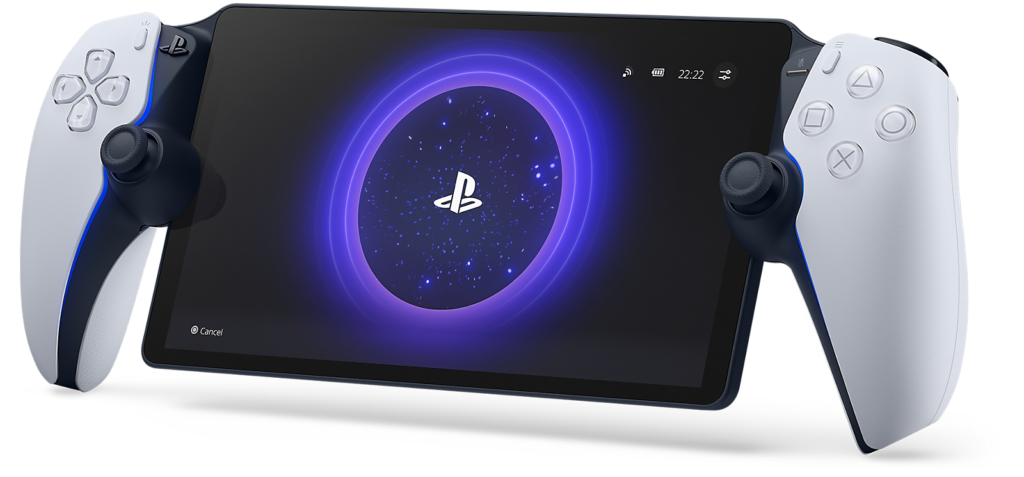
Sony has changed how the PlayStation Portal Remote Player charges. System software version 7.1.7 enables an 80% charge limit by default, a setting intended to support the handheld’s long-term battery health rather than maximize runtime on every charge.
The free update is rolling out to existing PlayStation Portal owners. It does not replace the battery or increase its capacity, and it does not represent a charging fault if the percentage stops at 80. Owners who need the longest possible session can still change the limit in the device settings.
What changed in PlayStation Portal version 7.1.7
According to Sony’s official system-software notes, the 80% charge limit is now turned on by default. Sony says the feature is designed to help maintain battery performance over the long term.
The release also includes general improvements to system-software performance and stability, along with refinements to messages and usability on some screens. Sony does not quantify those changes, so owners should not expect a guaranteed increase in streaming quality, responsiveness or battery runtime from this update alone.
The most visible difference is the charging behavior. A Portal left connected to power may now stop near 80% even though it remains plugged in. That is intentional under the new default setting.
How to change the 80% charge limit
Owners can adjust the setting directly on the Portal:
- Open Settings.
- Select System.
- Choose Battery.
- Change the charge limit to the level that fits the next session.
Sony cautions that setting the maximum charge above 80% may affect long-term battery performance and overall stability. That does not mean charging to 100% will immediately damage the device. It means users are trading some battery-preservation potential for more unplugged playing time.
Charging fully can still make sense before travel, a long gaming session or any situation where a power outlet will not be nearby. For a Portal that spends much of its life on a charging dock or USB-C cable, the 80% default is the more conservative everyday option.
Why an 80% ceiling can help a lithium-ion battery
Lithium-ion batteries experience more stress when they spend long periods near a full charge, particularly when heat is also present. Limiting the upper charge level reduces the time the battery sits at its highest voltage. Similar battery-protection options have become common on phones, laptops, tablets and other rechargeable devices.
The practical benefit will vary with temperature, charging habits and how often the Portal is used. Sony has not published a specific estimate for how many extra months or charge cycles owners should expect, so the update should be viewed as a preventative setting rather than a promised battery-life extension.
The tradeoff is less playing time between charges
An 80% limit leaves roughly one-fifth of the battery’s indicated capacity unused at the start of a session. Actual runtime depends on screen brightness, Wi-Fi conditions, haptics and other factors, so the effect cannot be translated into an exact number of lost minutes for every owner.
This matters because the Portal streams games over Wi-Fi instead of running PS5 titles locally. Its eight-inch 1080p display supports up to 60 frames per second, but the experience still depends heavily on the network and the connected PlayStation ecosystem. Version 7.1.7 does not change the hardware, add a larger battery or turn the Portal into a conventional offline handheld.
PlayStation Link accessories may need an update too
Sony also says PlayStation Link devices should be updated to their latest software. Depending on the accessory, that process may require a PS5 or a Windows PC with the PlayStation Link USB adapter connected.
That requirement is separate from the Portal’s battery setting, but it is worth checking if wireless audio behaves differently after the handheld update. Keeping both ends of the connection current reduces the chance that an older accessory firmware version becomes the source of pairing or stability problems.
What the update means for owners
For most people, the key point is simple: a Portal that stops at 80% after installing version 7.1.7 is working as Sony now intends. Owners who prioritize battery longevity can leave the default alone. Those who prioritize maximum runtime can raise the limit before a longer session and return it to 80% afterward.
Notebookcheck’s September 26 report also identifies battery preservation as the headline change. Independent long-term testing will be needed to show how much difference the setting makes in real use.
Featured image: Sony Interactive Entertainment. Gadget N Widget has not performed hands-on testing of version 7.1.7.