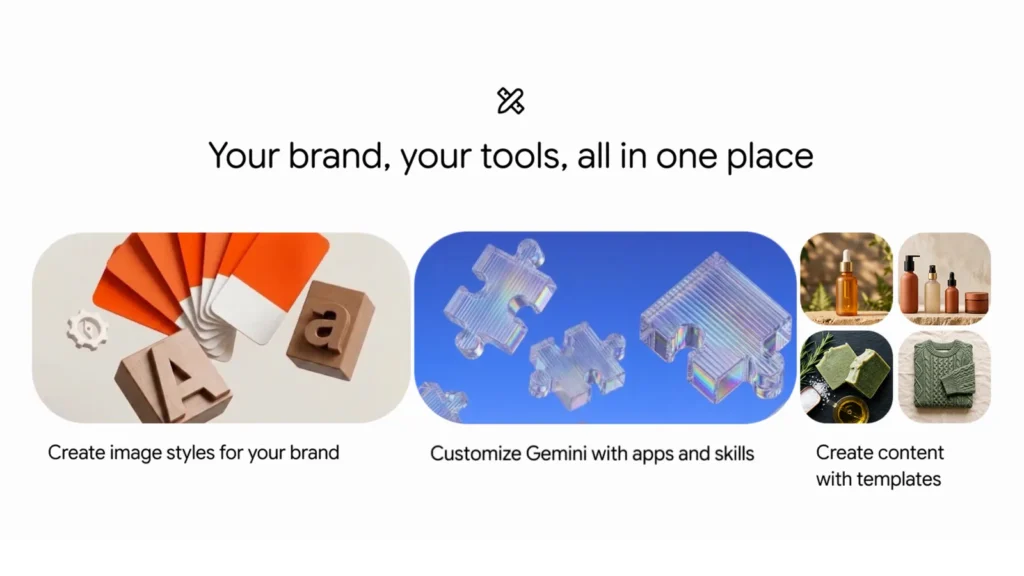
Google is adding a dedicated small-business hub to the Gemini app, bringing branding, marketing, connected apps and financial-analysis tools into one place. The company says the new landing page, skills and app connections are beginning to roll out globally to all Gemini app users.
The announcement matters because many of the jobs Google is targeting—creating product graphics, reviewing receipts, understanding customer feedback and managing online listings—usually require several separate tools. Gemini is intended to act as the common workspace, although Google has not yet published a detailed regional feature list or guaranteed that every integration will arrive at the same time.
What Google announced
In its October 20 announcement, Google introduced a new Gemini landing page built specifically around everyday small-business work. The hub is designed to help owners create a brand, analyze finances, understand customer insights and handle other recurring tasks without starting from a blank prompt.
Google says tens of millions of small-business owners already use Gemini for product ideas, customer feedback and business analysis. That usage figure is a company claim, not an independently audited measure of successful business outcomes.
The hub connects Google and third-party services
The new experience can connect to Google Business Profile, Google Ads and Google Workspace. Google also lists Adobe, Canva, Dropbox, Shopify, Wix, Zoho and Xero among the supported third-party connected apps.
Those connections could reduce copying and pasting between services. A shop owner might review website activity, prepare marketing content and work with accounting records from one conversational interface. However, the usefulness of each connection will depend on what data and actions the individual app allows Gemini to access.
Before enabling a connection, owners should review the requested permissions and decide whether the convenience is worth sharing business data across services. Customer lists, financial records and unpublished marketing plans deserve particular care.
Brand styles can be reused
Businesses can define a visual style by supplying a website, brand kit, fonts or color palette. Gemini can then retain that style and use Google’s Nano Banana 2.1 image model to produce visuals for product launches and marketing campaigns.
The practical advantage is consistency. A small team without a dedicated designer may be able to reuse the same colors and design cues instead of describing them again for every graphic. Templates are also part of the new experience, which should make common content jobs faster to start.
Generated material still needs review. Logos, product details, prices, legal notices and claims should be checked before anything is published. An image that looks polished can still contain an incorrect label or a visual detail that does not match the real product.
Gemini can analyze business records
Google says Gemini can turn spreadsheets, receipts and purchase records into financial graphics and interactive models. The goal is to let an owner ask questions in plain language rather than manually build every table or chart.
This could be useful for identifying cost changes, comparing sales periods or turning inconsistent records into a clearer visual summary. It should not be treated as a replacement for bookkeeping controls, tax advice or an accountant. Owners need to confirm that every transaction is included, categories are correct and totals match the source documents.
Sensitive records also require caution. Businesses should avoid uploading payment-card numbers, identity documents or other data that is not needed for the analysis, and they should review the privacy and retention settings that apply to their account.
Who gets the new tools
Google says the business landing page, marketing and finance skills, and new connected apps are starting to roll out globally in the coming days for all Gemini app users. The announcement does not specify a separate price for these tools.
That broad language does not guarantee identical availability on every account. Rollouts can arrive in stages, and a particular app connection may be limited by language, country, subscription, administrator settings or the third party’s own service availability.
Larger organizations that need centralized administration, advanced data governance and enterprise controls are directed to Google’s separate Gemini for business offering. The new small-business hub should therefore be viewed as a convenience-focused app experience, not a complete replacement for enterprise management or accounting systems.
What small businesses should check first
- Confirm which new hub features and connected apps are visible on the account.
- Review permissions before linking Google Business Profile, accounting or commerce services.
- Test brand-style output with a low-risk draft before using it in a paid campaign.
- Compare financial summaries with the original spreadsheet and receipts.
- Remove unnecessary personal, payment and customer data before uploading files.
- Check generated text, images and prices before publishing or sending them to customers.
The practical takeaway
Google’s new Gemini hub is aimed at one of the biggest problems for small businesses: too many disconnected administrative and creative tasks. Reusable branding, app connections and conversational financial analysis could save time for owners who already use the surrounding services.
The limitations are just as important. The rollout is still beginning, regional and integration details may differ, and AI output needs human verification. The best early use is as an assistant for drafts and analysis—not as an unsupervised system for publishing claims, moving money or finalizing financial records.
Image credit: Google. Official Gemini small-business tools campaign artwork, October 20, 2026.