A dash cam can record beautiful 4K video and still fail at the moment you need it if its memory card is wrong, worn out or incompatible. Unlike a phone card that may sit idle much of the day, a dash-cam card is continuously written, erased and written again in a loop—often while exposed to summer heat and winter cold.
That makes endurance, compatibility and sustained write speed more important than a flashy maximum read-speed number.
Start with the dash cam’s compatibility list
Before choosing a capacity or brand, check the camera manual for four details: accepted card type, minimum capacity, maximum capacity and required speed class. A card that exceeds the camera’s supported capacity may fail to format, stop recording or appear to work until the storage fills.
Requirements vary even within one manufacturer’s lineup. Garmin, for example, lists microSDHC or microSDXC cards from 8GB to 512GB, Class 10 or higher and FAT32 formatting for its Dash Cam Mini 3. That is a useful example—not a universal rule for every dash cam.
Some cameras are also picky about cards sold through unauthorized channels or cards with nonstandard physical thickness. Buying from a reputable seller reduces the risk of receiving a counterfeit card whose real capacity and speed do not match its label.
Why “high endurance” is the key phrase
Loop recording is hard on flash memory. When the card is full, the camera normally overwrites the oldest unlocked footage, so the same memory cells endure repeated write-and-erase cycles. Cards marketed for phones, handheld consoles or photography may emphasize burst speed and app performance rather than constant rewriting.
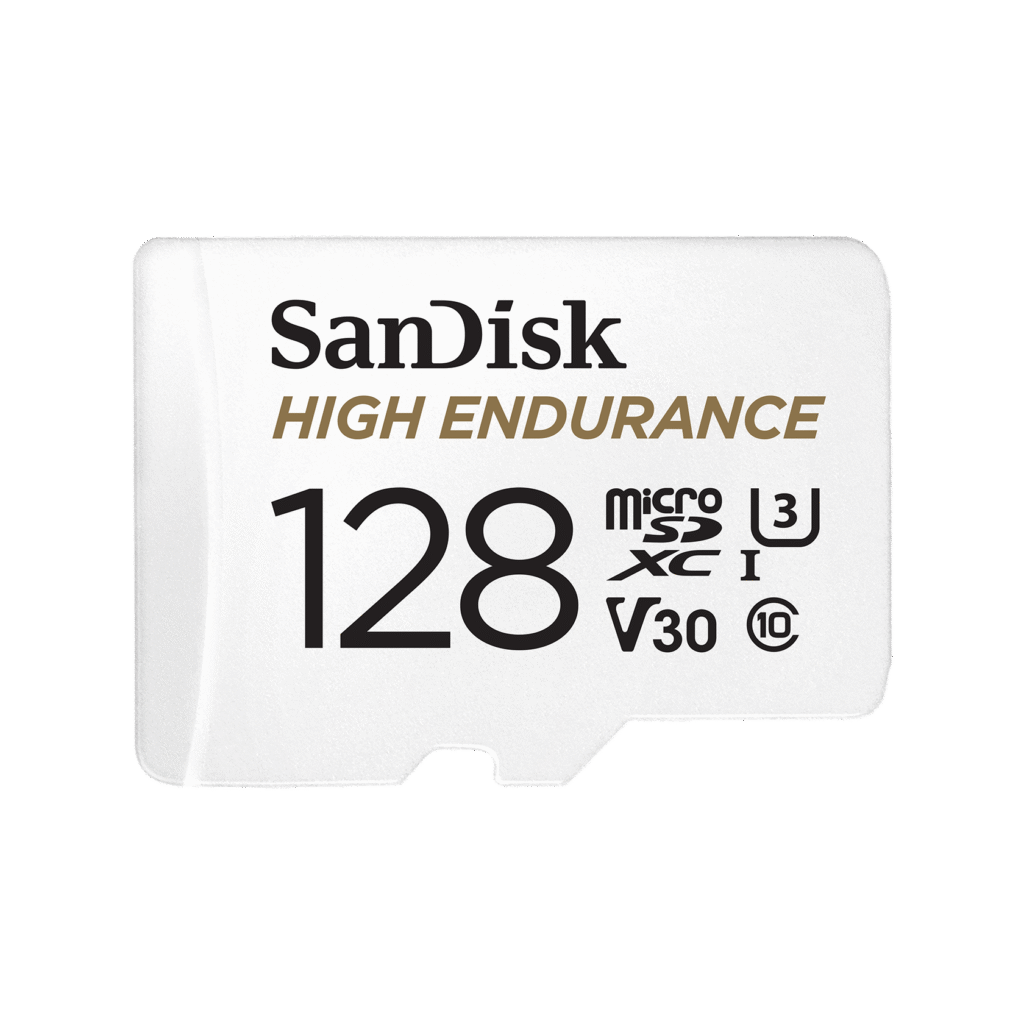
High-endurance and max-endurance cards are designed for continuous video monitoring. Manufacturers may also qualify them for wider operating temperatures and resistance to water, shock or X-rays. SanDisk, whose 128GB High Endurance card is pictured here, rates the range up to Class 10, U3 and V30, and offers capacities through 512GB. Its endurance-hour claims vary by capacity and are manufacturer estimates, not a guarantee for every recording setup.
Decode Class 10, U3 and V30
The speed symbols on a card refer to minimum sustained write performance—not the much larger “up to” read number printed for file transfers.
| Marking | Minimum sequential write speed | Typical use |
|---|---|---|
| Class 10 or U1 | 10MB/s | Many 1080p and lower-bitrate dash cams |
| U3 or V30 | 30MB/s | Higher-bitrate 1440p/4K and multi-camera systems |
| V60 | 60MB/s | High-end video cameras; rarely necessary for ordinary dash cams |
| V90 | 90MB/s | Professional high-bitrate recording; usually unnecessary here |
The SD Association’s speed-class guide explains that these classes guarantee minimum writing performance for video. Buying V60 or V90 does not improve footage if the dash cam only requires Class 10 or V30. It may simply cost more.
How much capacity do you need?
Capacity determines how far back the recording loop reaches. Resolution alone does not tell the whole story: bitrate, frame rate, compression, audio and the number of cameras all matter. A dual-channel front-and-rear system consumes storage faster than a single camera.
A rough estimate is:
Recording hours ≈ capacity in GB × 8,000 ÷ combined bitrate in Mbps ÷ 3,600
Using that approximation, a 128GB card at a combined 20Mbps holds about 14 hours before looping. At 40Mbps, it is closer to seven hours. Real capacity will be lower because of formatting, file-system overhead, protected event clips and the card maker’s decimal capacity measurement.
| Capacity | Best fit | Main tradeoff |
|---|---|---|
| 32GB | Short drives and basic 1080p cameras | Frequent overwriting and a short history |
| 64GB | Everyday single-camera use | May be limited for parking mode |
| 128GB | Longer commutes, 1440p or modest dual-camera systems | Must be supported by the camera |
| 256GB–512GB | 4K, multiple cameras or extended parking recording | Higher cost and more footage to review |
Format it in the camera—and check it regularly
Use the dash cam’s own format command when possible. Garmin’s Mini 3 documentation specifies FAT32 and recommends formatting a new card in the device; another Garmin support page advises reformatting at least every six months for that model. Follow your camera maker’s interval, because formatting erases saved footage.
Periodically remove the card and verify several recent clips on another device. Look for missing files, zero-length videos, playback errors or unexplained gaps. Dash cams do not always give an obvious warning before a worn or counterfeit card begins corrupting footage.
The sensible buying rule
Choose a genuine high-endurance card that meets the camera maker’s capacity and speed requirements. For many modern 4K or dual-camera models, U3/V30 is a practical target; for a basic 1080p camera, Class 10 may be enough. Capacity changes how much history you retain, while endurance determines how reliably the card tolerates constant overwriting.
Featured image: official SanDisk product artwork. The pictured card is an illustrative example, not a sponsored recommendation. No memory cards or dash cams were independently tested for this guide.